v1.0 Free · open source · offline

Sketch a house. Walk through it.

Draw rooms, doors, windows, stairs and gardens on a 2D plan, furnish them, then look around in 3D or walk through in first person. A 7 MB desktop app; your plans never leave your computer.

Linux · Windows · macOS

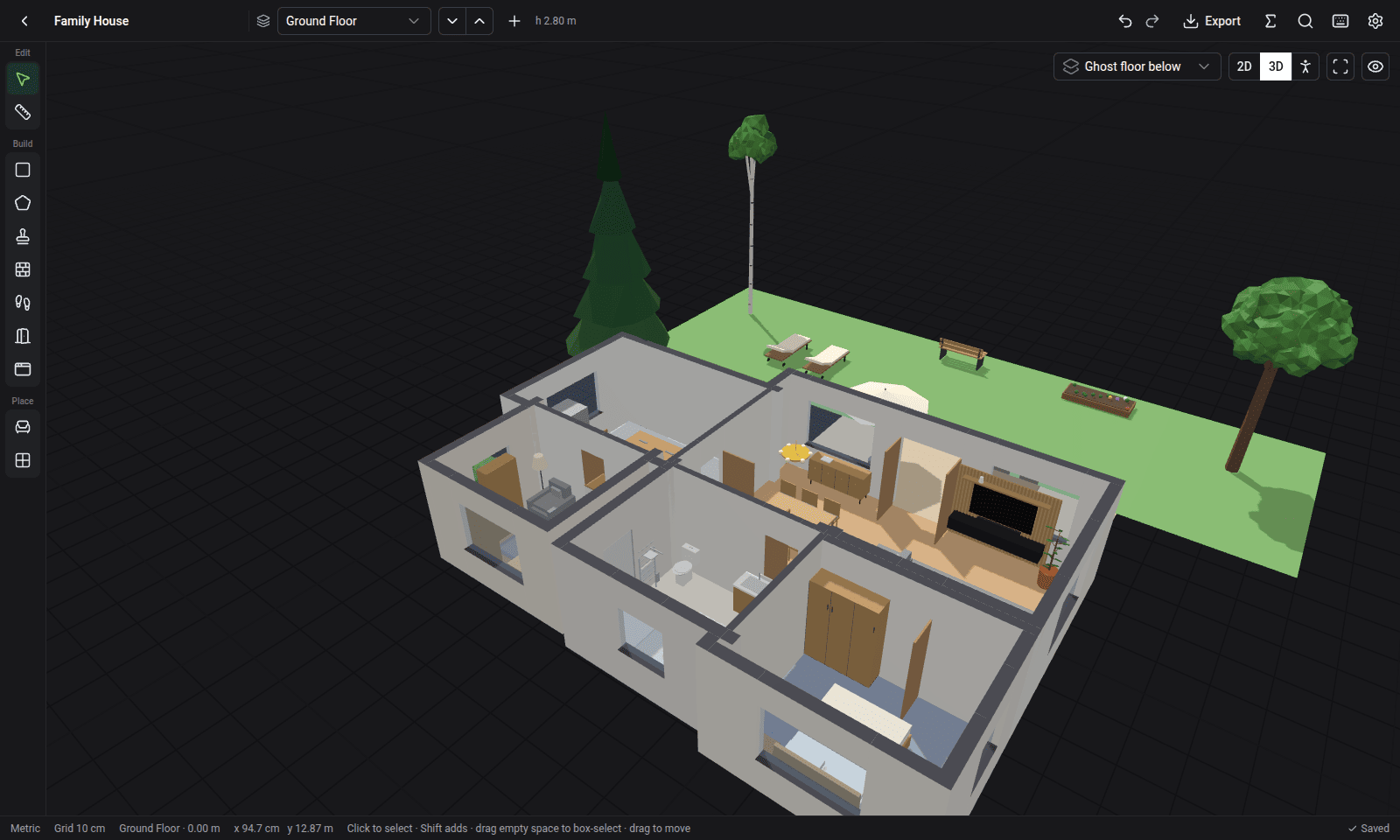
A furnished single-storey house with a patio and garden, in Smart Floor's 3D view

Features

Everything you need to plan a home, and nothing you don't.

No account, no subscription, no cloud. Open it, draw, and it saves as you go.

Rooms in seconds

Drag rectangles, click out polygons, or stamp one of 23 furnished room templates. Walls and shared walls are worked out for you.

Exact sizes

Type 3.5, 350cm, 4x3 or 11'3" while drawing. Snapping to grid, corners and walls; metric or imperial.

Doors, windows, stairs

Openings slide along walls. Stairs are parametric (straight, L, U or spiral) and connect your floors.

84 furniture & garden items

Search, pick colour variants, drag them in, rotate and scale. Bring your own .glb models.

Gardens & outdoor rooms

Grass, patio, path, driveway and pool zones; trees, hedges and outdoor furniture; open patios with no walls or roof.

Multiple floors

Stack floors, duplicate one onto the next, and see the floor below ghosted while you trace over it.
Tour

Three ways to look at your plan.

Press Tab to switch between them at any time.

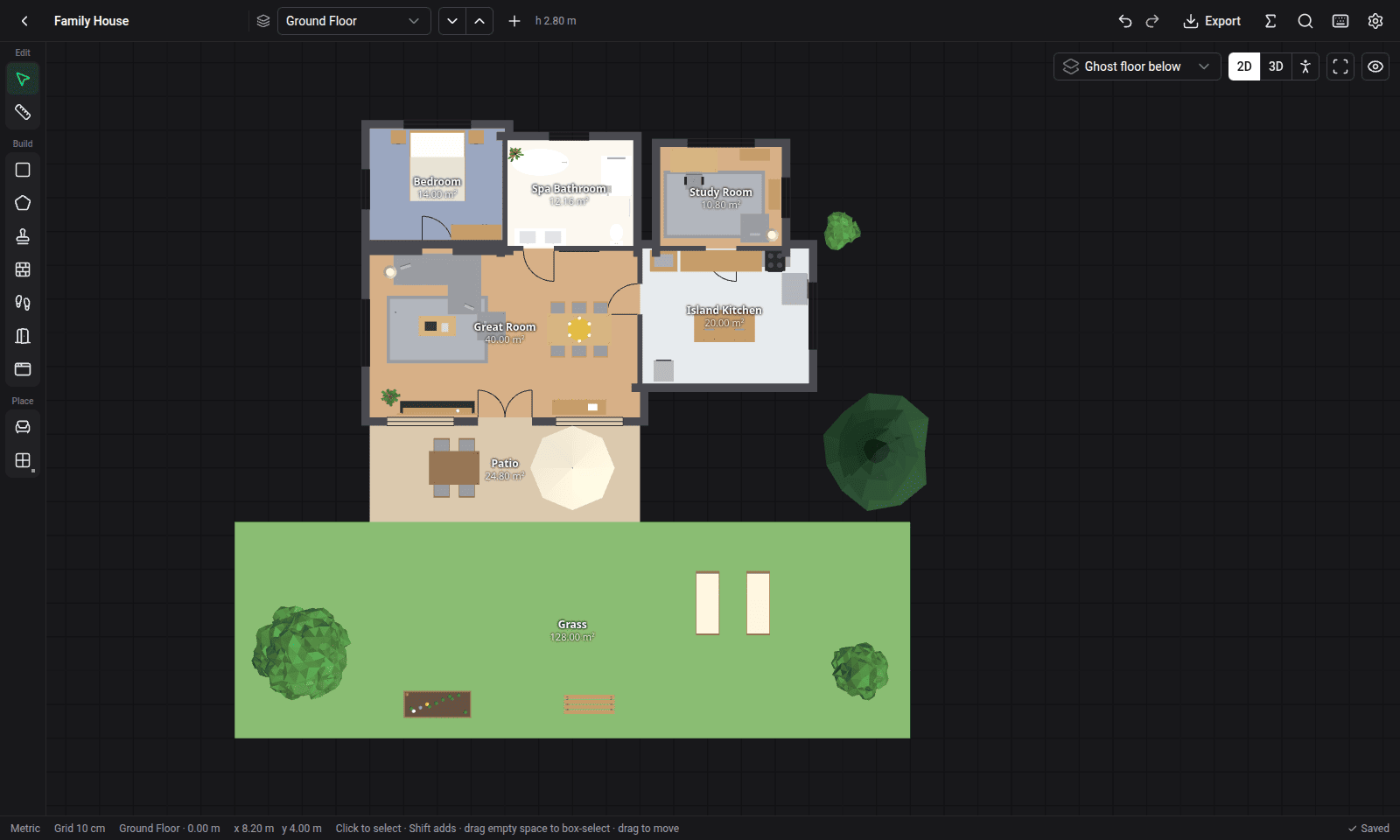
A clean 2D plan

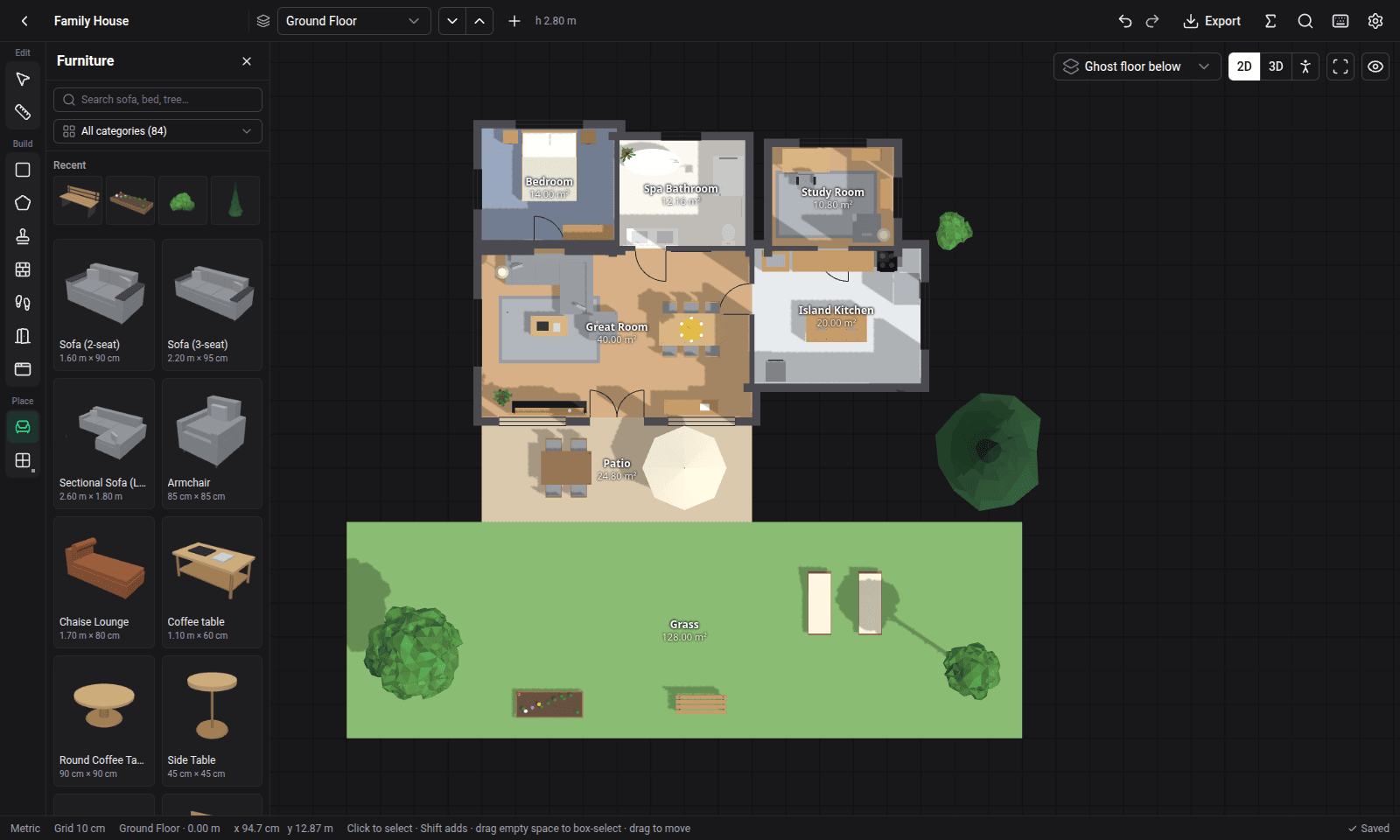
Draw on a grid with live dimensions, areas and room labels. Light and dark themes.

  • Undo everything, autosaved
  • Room areas and gross / net totals
  • Command palette with Ctrl K
2D floor plan with furnished rooms and a garden

Furnish it from the catalog

Every item has a real size and a thumbnail. Drop it in and it snaps to the floor, a wall or the ceiling.

  • Sofas, beds, kitchens, bathrooms, offices
  • Trees, hedges, flower beds, loungers
  • Colour variants per item
The furniture catalog panel beside the plan

Build up, floor by floor

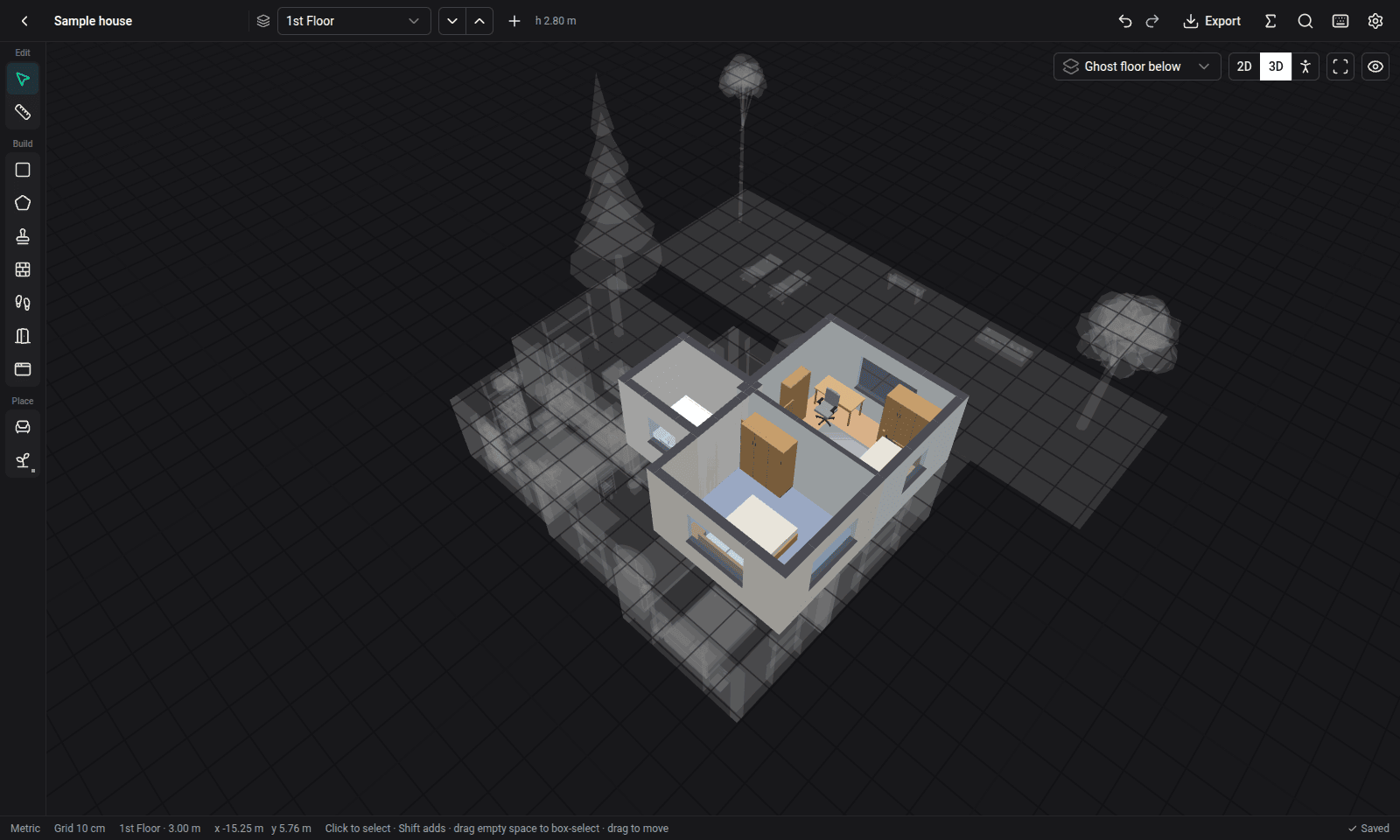
Add floors above or below. The floor underneath shows as a ghost, so walls and stairs line up as you draw.

  • Duplicate a floor onto the next one
  • Parametric stairs connect the floors
  • Show one floor, the ghost, or all of them
Bedrooms on the first floor, with the ground floor ghosted below

Then walk in through the front door

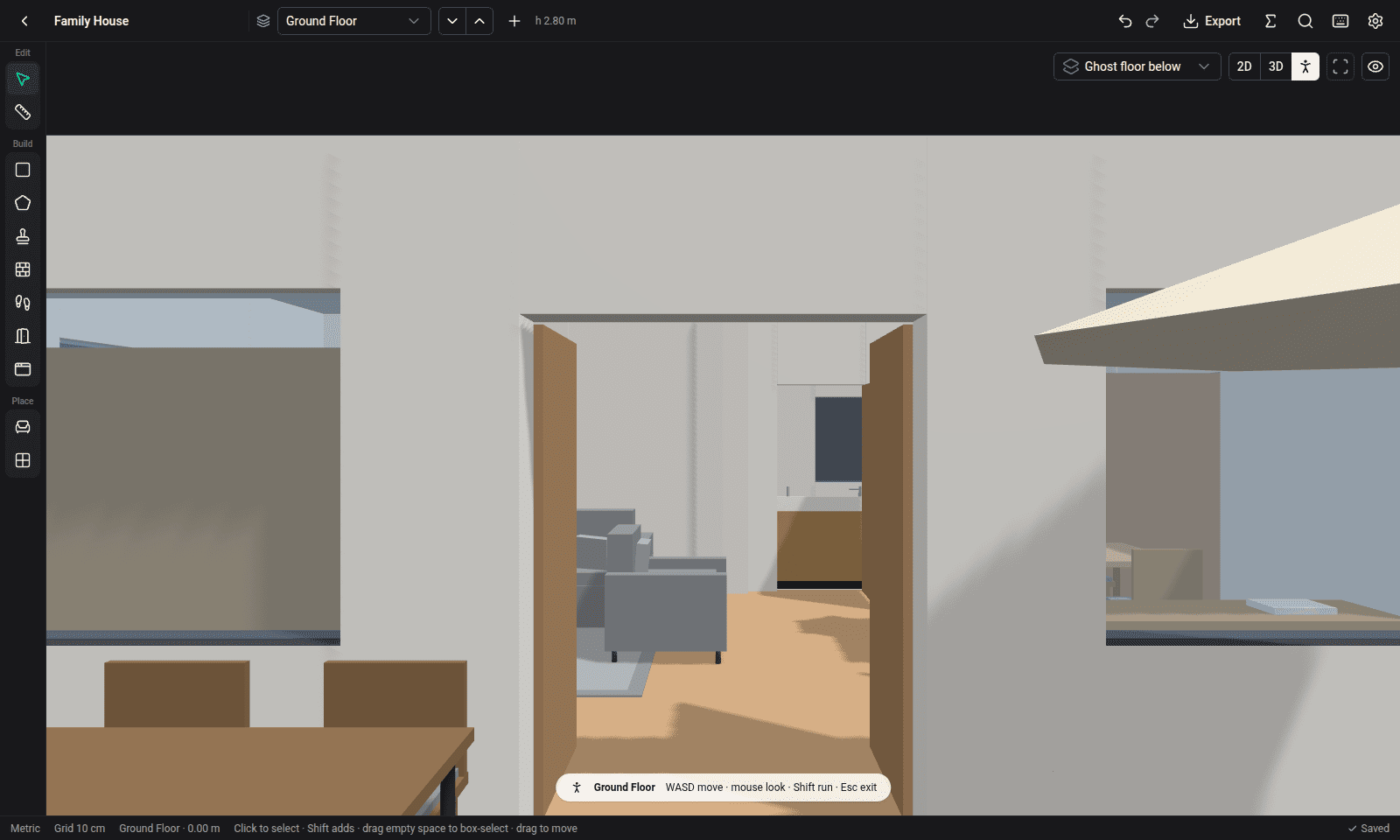
First-person mode with WASD and the mouse. Walls stop you, doors let you through, stairs take you up.

  • Hold Shift to run
  • Orbit the whole house in 3D
  • Export the model to Blender as GLB
First-person view from the patio looking in through the front doors

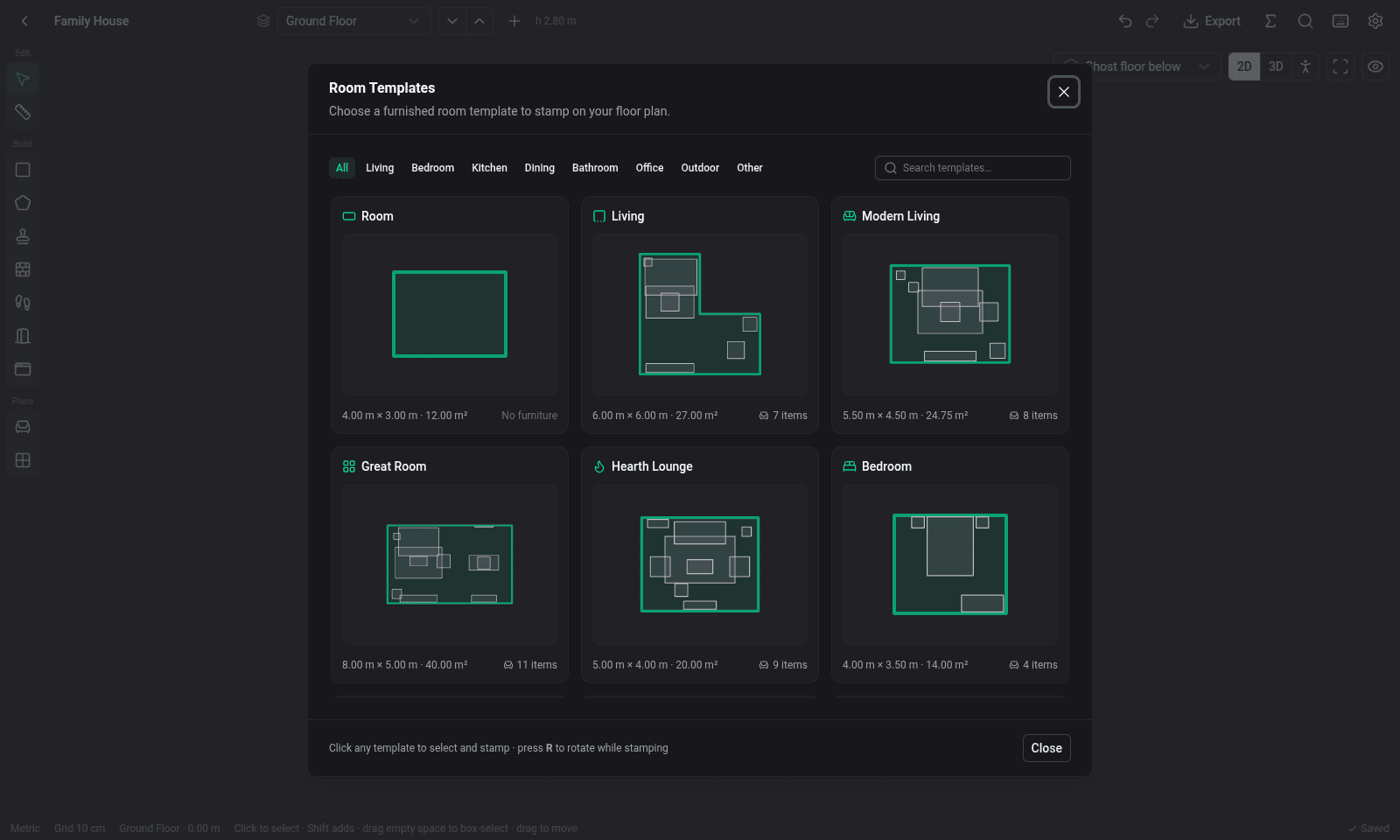
Start from a template

23 furnished rooms, from a powder room to a master suite or a great room with dining. Save your own rooms as templates too.

The room templates dialog

Export

Take your plan anywhere.

Print it to scale, open it in CAD, price it in a spreadsheet, or share the project file.

PDFprintable plan at 1:50 or 1:100 DXFfor LibreCAD, AutoCAD, FreeCAD SVGfor Inkscape and the web GLB3D model for Blender PNGimage of the current view CSVquantities for cost estimates .smartfloorshare the whole project

Keyboard

Fast once you know a few keys.

Every tool is one key away. Press ? in the app for the full list.

Select / measure V M
Rectangle / polygon room R P
Room template T
Door / window D N
Wall or fence / stair W S
Furniture / garden F G
2D → 3D → walk Tab
Undo / redo Ctrl Z

Free, private, and about 7 MB.

One file per platform, nothing to install: download it and run it. Includes a sample house to explore.